

Is I Team App Builder a Reliable Choice for Verified Application Builds?
I Team App Builder is a reliable choice for verified application builds because it uses a controlled AI pipeline that plans, builds, tests, and verifies software before delivery. This guide covers how the platform handles AI code generation, what build verification checks actually mean in practice, and where security certification gaps still require human oversight. You will learn how to evaluate the platform for your specific project needs and understand the boundaries of automated verification. For additional details, review the .
AI Code Generation
AI code generation is the process of using large language models to write, refactor, and structure application code based on natural language prompts. In the context of I Team App Builder, this process is not a simple chatbot interaction. It is a structured workflow that turns a plain-English brief into a planned, built, and tested application. The platform connects to production-grade AI models to handle the heavy lifting of software engineering without requiring the user to manage the underlying infrastructure. according to Introducing a No
From Brief to Build Plan
The generation process begins with a planning phase. The system analyzes your business description and breaks it down into screens, data structures, and build phases. This step is critical because it prevents the common failure mode of generic AI tools, where the model guesses at requirements and produces unusable code. By establishing a clear build plan first, the platform ensures that the subsequent code generation is aligned with your specific business logic. For additional details, review the Customer Experience.
Direct AI Build Engine
Once the plan is set, the direct AI build engine writes the application code. This engine is designed to work within a controlled environment, meaning it does not just output text snippets. It generates functional code that is integrated into a working project structure. The platform keeps provider credentials server-side, which means you do not need to manage API keys or worry about exposing sensitive information in your local development environment. This separation of concerns allows you to focus on the product while the system handles the technical execution. For additional details, review the Frequently Asked Questions.
Versioned Projects and Iteration
Reliability in code generation depends heavily on the ability to iterate safely. I Team App Builder uses versioned projects to track changes. If a generated feature does not work as expected, you can revert to a previous version or request specific repairs. This versioning capability is a key differentiator from simpler AI coding assistants that often lose context or overwrite previous work. It provides a safety net that makes the generation process more predictable and reliable for business users.
Build Verification Checks
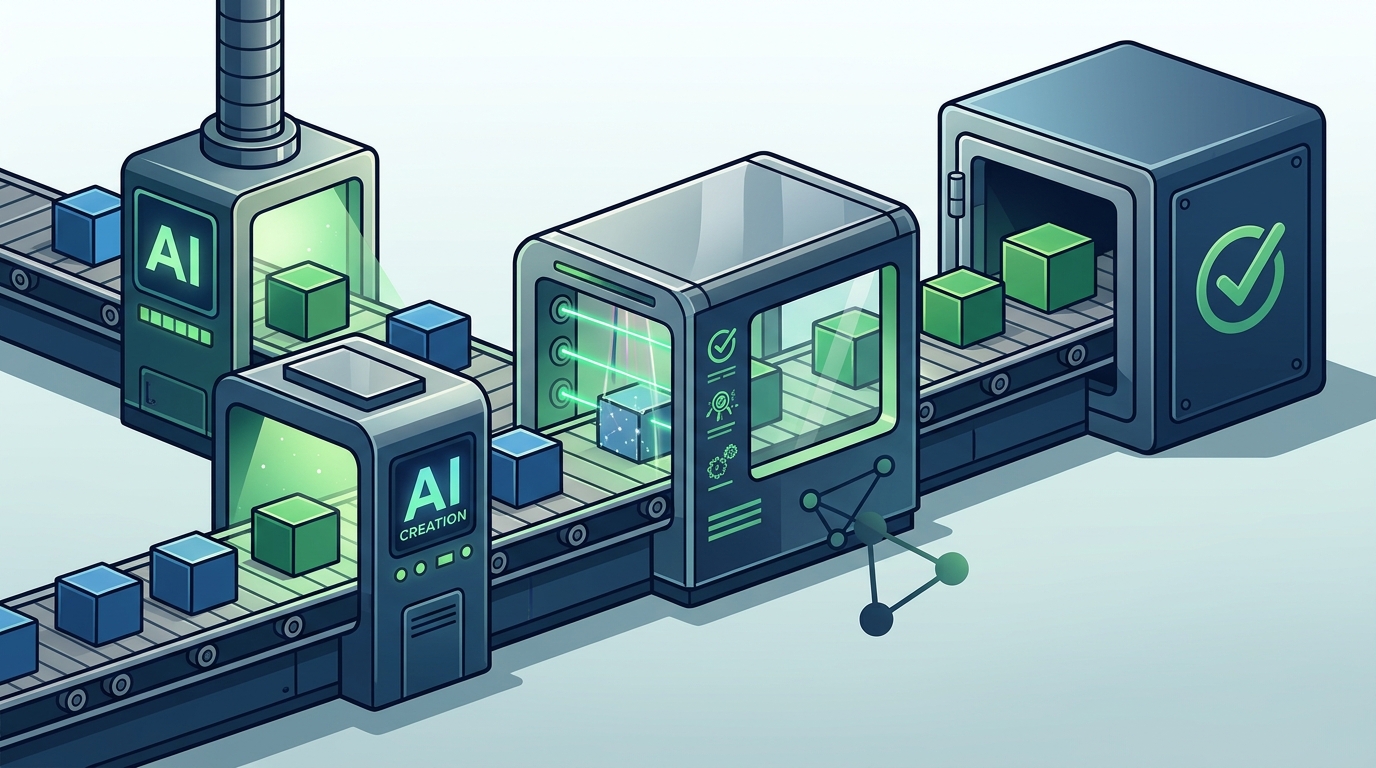
Build verification is the automated process of testing generated code to ensure it compiles, runs, and meets basic functional requirements before it is delivered to the user. Verification is distinct from manual code review. It is a technical gate that catches syntax errors, runtime crashes, and broken dependencies. In I Team App Builder, verification is a core part of the pipeline, not an optional add-on. The system runs static analysis and runtime checks to confirm that the application is in a working state.
Static Analysis and Linting
Static analysis is a method of examining code without executing it to identify potential errors, security vulnerabilities, and style violations. The platform runs these checks to ensure that the generated code adheres to best practices and does not contain obvious bugs. This step helps maintain code quality and reduces the likelihood of issues that would be difficult to debug later. It acts as a first line of defense against low-quality code generation.
Runtime Verification
Automated Testing and Repairs
When verification checks fail, the platform can attempt to repair the code automatically. This repair loop is designed to be controlled and bounded. It does not run indefinitely, which prevents the "runaway repair loop" problem seen in some other AI tools. Instead, it attempts a limited number of fixes and then reports the status to the user. This transparency is important because it sets realistic expectations about what automated verification can and cannot achieve.
Security Certification Gaps
Security certification is a formal process of evaluating software against specific security standards, such as ISO 27001 or SOC 2. It is important to understand that automated build verification is not the same as security certification. While the platform performs security-related checks during the build process, it does not provide independent third-party security audits or compliance certifications. Users must understand this distinction to avoid over-relying on the platform for high-risk applications.
Automated Checks vs. Independent Audits
The security checks performed by I Team App Builder are automated and integrated into the build pipeline. They help identify common vulnerabilities, such as injection attacks or insecure data handling. However, these checks are not a substitute for a professional security audit. Independent audits involve human experts who can identify complex, context-specific vulnerabilities that automated tools might miss. For applications handling sensitive data, such as financial or medical information, a professional audit is still required. according to Introducing a No
Compliance and Regulatory Requirements
Many industries have specific regulatory requirements for software security and data privacy. Compliance is the process of ensuring that your software meets these legal and industry standards. I Team App Builder can help you build software that follows best practices, but it cannot guarantee that your application will comply with specific regulations like HIPAA, GDPR, or PCI-DSS. You are responsible for ensuring that your application meets the legal requirements of your industry. The platform provides the tools to build securely, but the responsibility for compliance remains with the user.
When to Seek Professional Help
You should seek professional help when your application involves high-risk use cases, such as handling large volumes of sensitive data, processing payments, or operating in a regulated industry. In these cases, the automated verification provided by the platform is a starting point, not an endpoint. You should engage a security engineer or compliance professional to review the code and architecture. This ensures that your application is not only functional but also secure and compliant with relevant laws and standards.
Comparison of Verification Approaches
| Feature | Generic AI Coding Assistants | I Team App Builder |
|---|---|---|
| Build Planning | Often ad-hoc or user-managed | Automated, structured build phases |
| Code Generation | Snippet-based, requires manual integration | Full application generation with versioning |
| Verification | Minimal or user-managed testing | Automated static and runtime verification |
| Repair Loops | Can be unbounded and unstable | Controlled, bounded repair attempts |
| Security Certification | Not provided | Not provided (requires independent audit) |
Key Takeaways
- I Team App Builder uses a controlled AI pipeline that plans, builds, and verifies applications, making it a reliable choice for structured software creation.
- AI code generation in this platform is not just text output; it is a structured process that turns business briefs into working code.
- Build verification includes both static analysis and runtime checks, ensuring that the delivered application is functional.
- Automated verification is not a substitute for independent security audits or compliance certifications.
- The platform uses versioned projects to allow safe iteration and rollback, reducing the risk of losing work.
- Users are responsible for ensuring that their applications meet industry-specific regulatory and compliance requirements.
- For high-risk or regulated use cases, professional security and compliance review is still necessary.
- The platform keeps provider credentials server-side, simplifying the development process for non-technical users.
Frequently Asked Questions
Does I Team App Builder guarantee that the generated code is bug-free?
No, no software platform can guarantee that generated code is completely bug-free. I Team App Builder performs automated verification checks to catch common errors, but complex logic bugs may still exist. Users should review the code and test the application thoroughly before relying on it for critical business operations.
Can I use I Team App Builder for regulated industries like healthcare or finance?
You can use the platform to build applications for regulated industries, but you must ensure that the final product complies with all relevant regulations. The platform does not provide compliance certifications. You should consult with a compliance professional to review the application and ensure it meets industry standards.
How does the build verification process work?
The build verification process involves running static analysis to check for code quality issues and running the application in a sandboxed environment to check for runtime errors. If issues are found, the platform may attempt to repair them automatically within a controlled loop.
Do I need to manage API keys or server credentials?
No, the platform keeps provider credentials server-side. You do not need to manage API keys or worry about exposing sensitive information in your local environment. This simplifies the development process and improves security.
What happens if the automated repair loop fails?
If the automated repair loop fails to fix an issue, the platform will report the status to you. You can then review the code, make manual adjustments, or request further assistance. The repair loop is bounded to prevent infinite loops and instability.
Is I Team App Builder a replacement for professional developers?
I Team App Builder is a tool that helps you build applications, but it is not a replacement for professional developers in all cases. For complex, high-risk, or highly customized applications, you may still need the expertise of a professional developer to review and optimize the code.
How does versioning work in I Team App Builder?
Versioning allows you to track changes to your project over time. You can revert to previous versions if a new change causes issues. This provides a safety net that makes the development process more predictable and reliable.
Can I export the code generated by I Team App Builder?
Yes, you can access the code generated by the platform. This allows you to review the code, make manual changes, or deploy it to your own hosting environment. The platform is designed to give you control over the final product.
Conclusion
I Team App Builder is a reliable choice for verified application builds because it combines structured AI code generation with automated build verification. The platform handles the technical complexity of software development, allowing you to focus on your business goals. However, it is important to understand the boundaries of automated verification. It is not a substitute for independent security audits or compliance certifications. For high-risk or regulated use cases, you should still engage professional experts to review your application. By using I Team App Builder as part of a broader development strategy, you can build reliable, functional software while maintaining the necessary oversight for security and compliance. To start building your application, visit I Team App Builder and describe your business in plain English.