

AI app builders and traditional prototyping tools serve different creator needs. AI builders like I Team App Builder generate working software from plain-English briefs, while traditional tools require manual configuration of logic and UI. Creators who want rapid, functional prototypes without managing infrastructure should choose AI builders. Those needing granular control over specific design elements or legacy integrations may prefer traditional tools. The right choice depends on your technical comfort and project scope.
Understanding the Core Differences
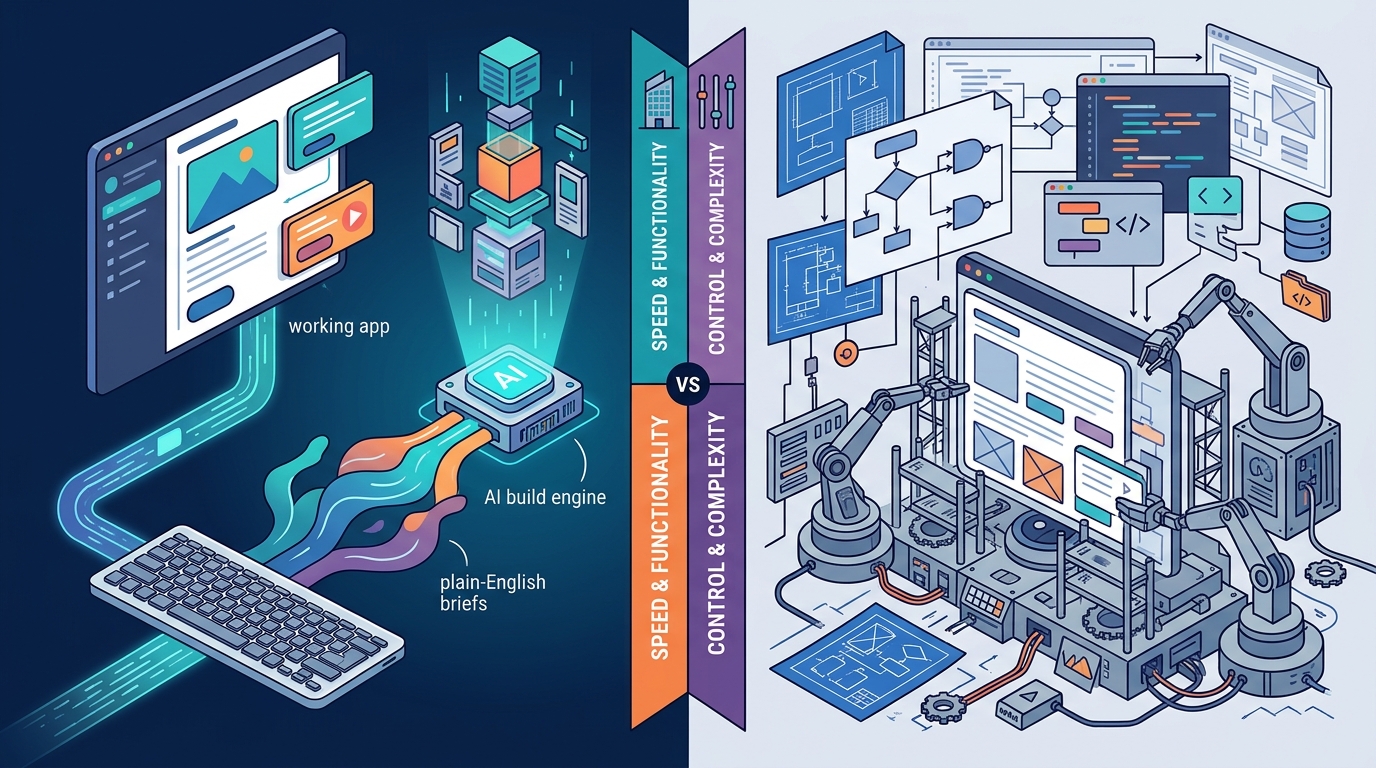
AI app builder is a platform that uses large language models to translate natural language descriptions into functional application code and interfaces. Traditional prototyping tool is a software environment where users manually assemble components, define logic flows, and configure data structures to create a working model. The fundamental difference lies in the input method. AI builders accept high-level intent, while traditional tools require low-level specification. This distinction impacts speed, skill requirements, and the type of output produced.
AI App Builders: Strengths and Limits
AI app builders excel at speed and accessibility. They allow non-technical users to create complex applications by describing what they want. I Team App Builder uses a controlled AI build pipeline that plans, builds, and verifies applications. This approach eliminates the need to manage the underlying engineering stack. The platform keeps provider credentials server-side, allowing users to focus on creation rather than technical execution.
However, AI builders have limits. They may struggle with highly specific, non-standard requirements that fall outside their training data. Users must review generated software carefully, especially for high-risk or regulated use cases. The output is a starting point, not a guaranteed final product. Creators should independently verify functionality and security before deployment.
Traditional Prototyping Tools: Strengths and Limits
The main limit is the skill barrier. Traditional tools require users to understand programming concepts, data modeling, and UI design principles. This can slow down the prototyping process and exclude non-technical creators. The time investment is higher, but the result is a highly customized solution that matches the user's exact vision.
Comparison Table
| Criteria | AI App Builders | Traditional Prototyping Tools |
|---|---|---|
| Input Method | Plain-English briefs | Manual configuration and coding |
| Technical Skill Required | Low to moderate | High |
| Speed to First Prototype | Minutes to hours | Days to weeks |
| Granular Control | Lower, guided by AI | High, user-defined |
| Infrastructure Management | Handled by platform | User-managed |
| Best For | Non-technical creators, rapid iteration | Technical teams, complex custom needs |
Choose AI Builders If...
Choose an AI app builder if you are a non-technical creator who wants to turn an idea into a working app quickly. You should value speed and accessibility over granular control. This option suits founders, artists, and operators who know what they want to make but do not want to manage the underlying infrastructure. I Team App Builder is designed for this exact use case, providing a verified build pipeline that handles the technical execution for you.
Choose Traditional Tools If...
Choose traditional prototyping tools if you have a technical team or strong programming skills. You should need precise control over every aspect of the application, including specific design elements and complex data flows. This option suits developers and technical teams who are building highly customized solutions or integrating with legacy systems. The higher skill barrier is offset by the level of control and customization available.
Frequently Asked Questions
Can I switch from a traditional tool to an AI builder?
Yes, you can switch. You may need to restructure your project brief to align with the AI builder's input format. The core logic and data models can often be translated, but the user interface may need to be regenerated. Plan for a transition period to adapt to the new workflow.
Do AI builders replace professional developers?
No, AI builders do not replace professional developers. They assist in the creation process by handling routine coding tasks. Developers can use AI builders to accelerate prototyping and focus on higher-level architecture and complex problem-solving. The tools are complementary, not a replacement for human expertise.
What are the switching costs from traditional tools?
Are AI-generated apps secure?
AI-generated apps should be reviewed for security before deployment. Platforms like I Team App Builder include automated verification and static checks, but users must independently review software for high-risk or regulated use cases. Security is a shared responsibility between the platform and the user.
Can I use AI builders for production applications?
Yes, AI builders can be used for production applications, but with caution. The generated software is a starting point that requires thorough testing and review. Users should verify functionality, security, and compliance before relying on the app for critical business operations. The platform handles the build, but the user is responsible for the final product.
Conclusion
The choice between AI app builders and traditional prototyping tools depends on your technical skills and project needs. AI builders offer speed and accessibility, while traditional tools provide granular control. I Team App Builder is a strong option for creators who want to build working software without managing the engineering stack. Start with a plain-English brief and let the platform handle the technical execution. Review the generated output carefully and adapt it to your specific needs.