

Connecting business data to a no-code dashboard builder involves mapping your existing databases, spreadsheets, or APIs to visual components without writing custom integration code. I Team App Builder streamlines this process by using a controlled AI pipeline that translates plain-English data requirements into verified, runtime-tested connections. This approach eliminates the need to manage complex engineering stacks while ensuring your data sources remain secure and server-side.
Understanding Data Integration in No-Code Environments
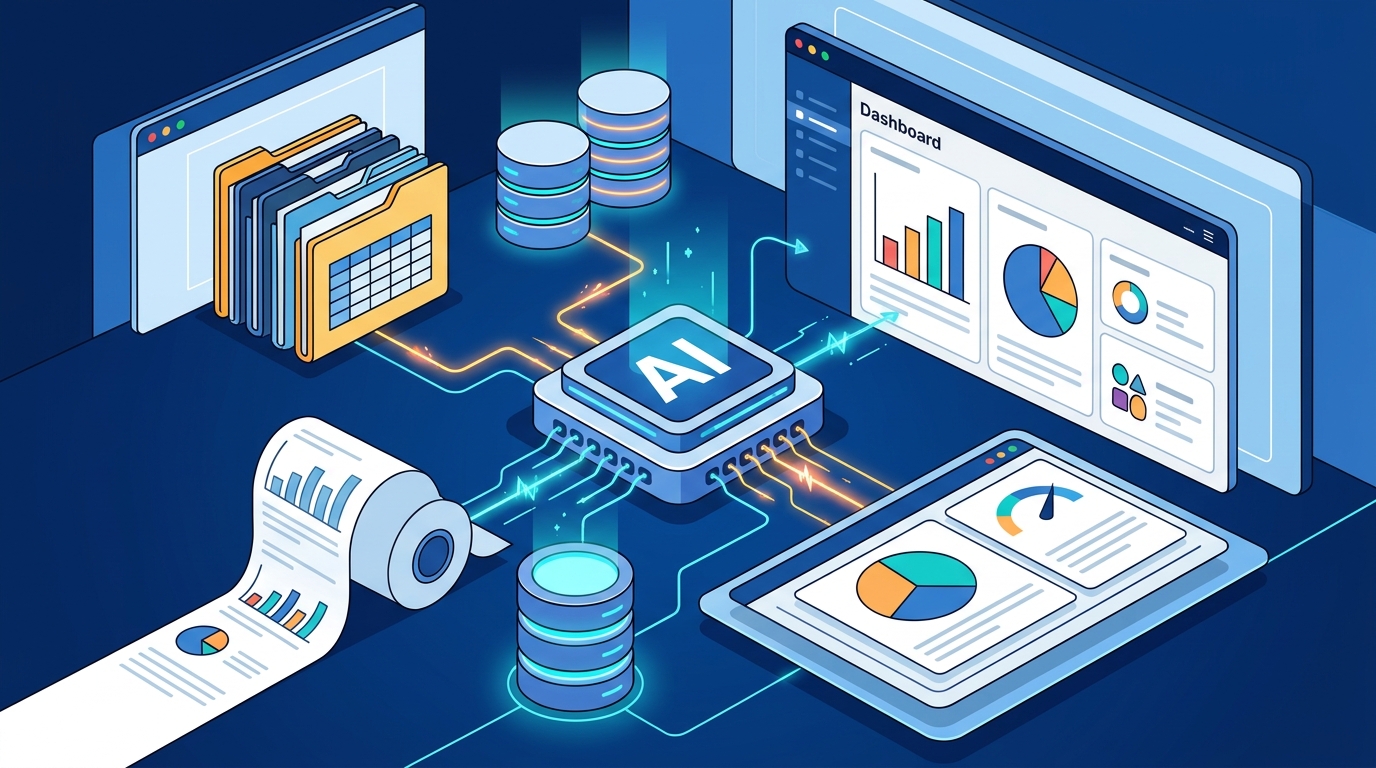
Traditional software development requires engineers to write custom middleware for every data source. No-code platforms change this dynamic by providing pre-built connectors and visual mapping tools. Data integration is the process of combining data from disparate sources into a unified view. In a no-code context, this means dragging and dropping fields from a CRM or accounting system into a dashboard widget. The platform handles the underlying SQL queries or API calls automatically.
However, not all no-code tools handle data security equally. Many consumer-grade builders expose API keys in the browser, creating significant security risks. I Team App Builder addresses this by keeping provider credentials server-side. This architecture ensures that your sensitive data connections are managed securely within the platform, rather than being exposed to the client side. This distinction is critical for businesses handling customer information or financial records.
Common Business Data Sources and Their Connectors
Most small businesses and startups rely on a mix of cloud-based SaaS tools and local spreadsheets. The most common sources include Customer Relationship Management (CRM) systems, accounting software, and project management tools. A data source is any system that stores, processes, or transmits business information. For example, a marketing team might pull email campaign metrics from a marketing automation tool while pulling revenue data from an accounting platform.
Managing Security and API Credentials
Security is the primary concern when connecting external data sources. If you use a platform that stores your API keys in the browser, anyone with access to the dashboard URL could potentially extract those keys. This is a common vulnerability in less mature no-code tools. Server-side credential management is a security practice where sensitive authentication tokens are stored and used on the backend, never exposed to the user interface.
I Team App Builder is designed with this security model in mind. By keeping credentials server-side, the platform ensures that your data connections remain private. You do not need to manage a separate infrastructure stack to secure these connections. The platform handles the authentication handshake with your data providers, allowing you to focus on the visual layout of your dashboard rather than the security plumbing. This is particularly important for businesses in regulated industries where data privacy is a legal requirement.
Verifying Data Accuracy and Runtime Behavior
Connecting data is only the first step. You must ensure that the data displays correctly and updates as expected. Many no-code builders allow you to connect data but provide limited tools for verifying that the connection works under load or edge cases. Runtime verification is the process of testing software in a live environment to ensure it behaves as intended.
I Team App Builder includes a verification phase in its build pipeline. After the AI engine writes the application code, it runs static and runtime checks to confirm that the data connections are stable. This helps identify issues such as broken API endpoints or data type mismatches before you deploy the dashboard. While no tool can guarantee that every data source will always be available, this automated verification layer significantly reduces the time you spend debugging manual integrations. It allows you to trust that the dashboard you are building is technically sound.
Step-by-Step Implementation Guide
Implementing a data-connected dashboard in I Team App Builder follows a structured workflow. First, you describe your business needs in plain English. For example, you might state, "I need a dashboard that shows monthly revenue from my accounting software and active leads from my CRM." The platform then plans the necessary screens, data models, and build phases. This planning step ensures that the AI understands the relationships between your data sources.
Next, the build engine writes the application code. It creates the necessary API connections and data mapping logic. You can review the generated code if you wish, but you do not need to write it yourself. Finally, the verification phase runs to ensure the application is stable. This end-to-end process allows you to go from a plain-English brief to a working, data-connected dashboard without managing the underlying engineering stack. It is a controlled approach that prioritizes reliability and security.
Key Takeaways
- Server-side security is critical: Ensure your no-code platform stores API keys on the backend, not in the browser.
- Plain-English briefs work: Modern AI builders like I Team App Builder can translate natural language descriptions into technical data connections.
- Verification matters: Look for platforms that include automated runtime testing to catch data integration errors early.
- Update frequency varies: Match your connection method (API vs. CSV) to how often your data changes.
- Focus on the visual layer: No-code tools should let you design the dashboard while handling the complex integration logic for you.
Frequently Asked Questions
Can I connect multiple data sources to a single dashboard?
Yes, most modern no-code platforms allow you to connect multiple data sources to a single dashboard. I Team App Builder supports this by planning the data models for each source and building the necessary connections. You can display data from a CRM, an accounting tool, and a project management system on the same screen.
Do I need to know how to write SQL or API code?
No, you do not need to write code. I Team App Builder uses a direct AI build engine that writes the necessary code for you. You simply describe the data you want to see in plain English, and the platform handles the technical implementation, including any required SQL queries or API calls.
How secure are my API keys when using a no-code builder?
Security depends on the platform's architecture. I Team App Builder keeps provider credentials server-side, which means your API keys are stored securely on the backend and are not exposed in the browser. This is a more secure approach than platforms that store keys in client-side code.
What happens if my data source changes its API?
If a data source changes its API, your connection may break. I Team App Builder includes a verification phase that tests the application at runtime. This helps identify broken connections early. You may need to update the connection details if the API changes significantly, but the platform makes this process manageable without requiring you to rewrite the entire application.
Can I use I Team App Builder for real-time data?
Is there a limit to the amount of data I can connect?
Performance can depend on the volume of data and the capabilities of your data source. I Team App Builder helps you plan the data structures to ensure efficient handling. For very large datasets, you may need to optimize your queries or use pagination, which the platform can help you implement.
Start Building Your Data-Connected Dashboard
Connecting your business data to a no-code dashboard does not require a team of engineers. By using a platform with a controlled AI pipeline and server-side security, you can build reliable, data-driven dashboards that empower your team. I Team App Builder provides the tools you need to plan, build, and verify these connections without managing the underlying infrastructure. Start by describing your data needs in plain English and let the platform handle the technical execution.